
Codex CLI Quick Switch to Sigma MaaS
Use cc-switch to configure a Sigma provider for Codex CLI and run models through one stable API URL
Codex CLI can route model traffic through Sigma MaaS with cc-switch. This guide shows a full English workflow: create provider, switch provider, and validate by running a Codex command.
Table of Contents
Prerequisites
| Requirement | Details |
|---|---|
| Codex CLI | Installed and executable in your shell. |
| cc-switch | Installed and ready to launch in interactive mode. |
| Sigma API Key | Generate from Sigma Studio. |
| Endpoint (Global) | https://api.sigmaauto.ai/api/v1 |
Configure Provider in cc-switch
Launch cc-switch and create a dedicated provider for Sigma MaaS.
Start cc-switch interactive mode and focus Providers in the left menu.
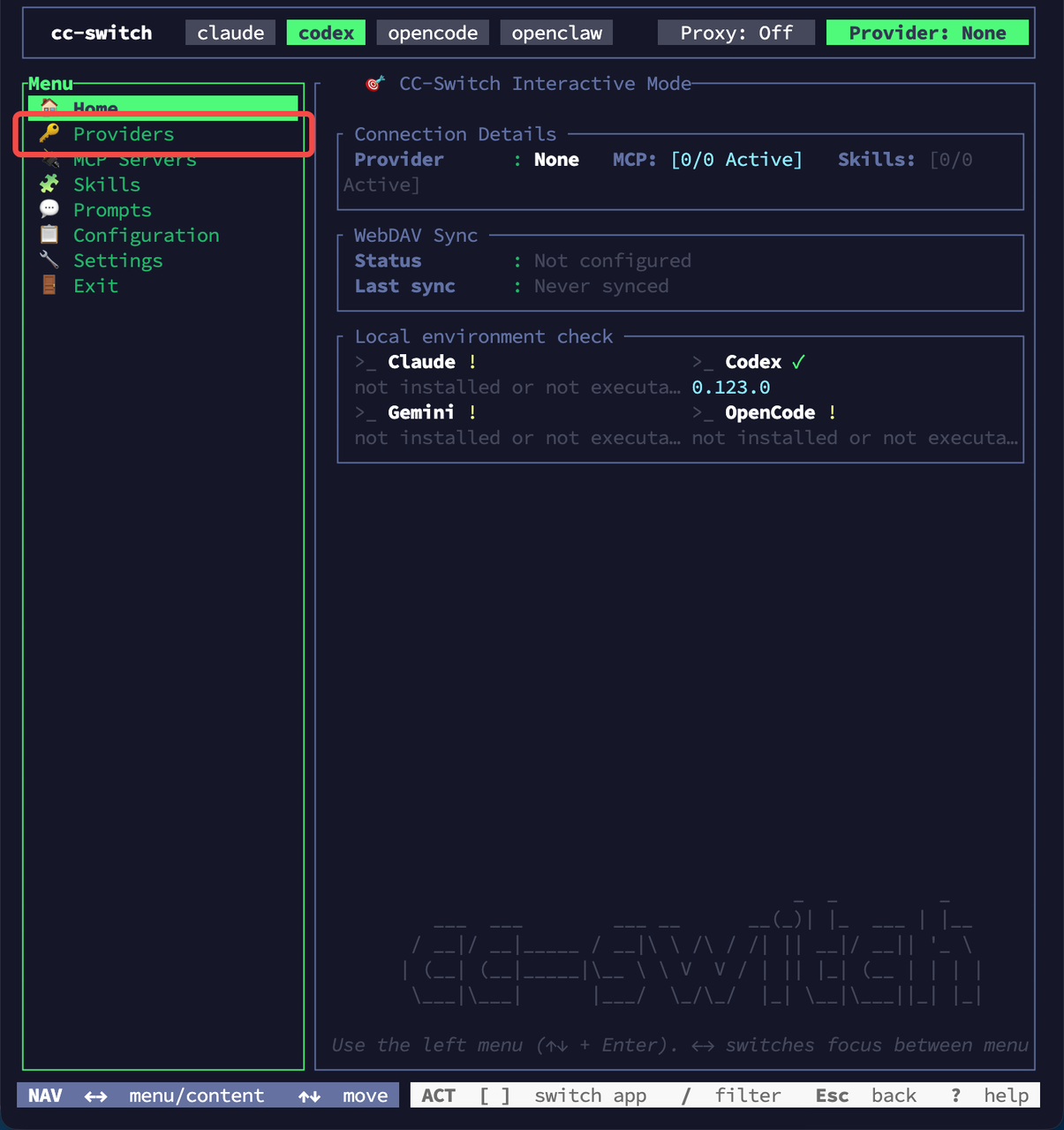
In the Providers panel, use the add action to create a new provider entry.
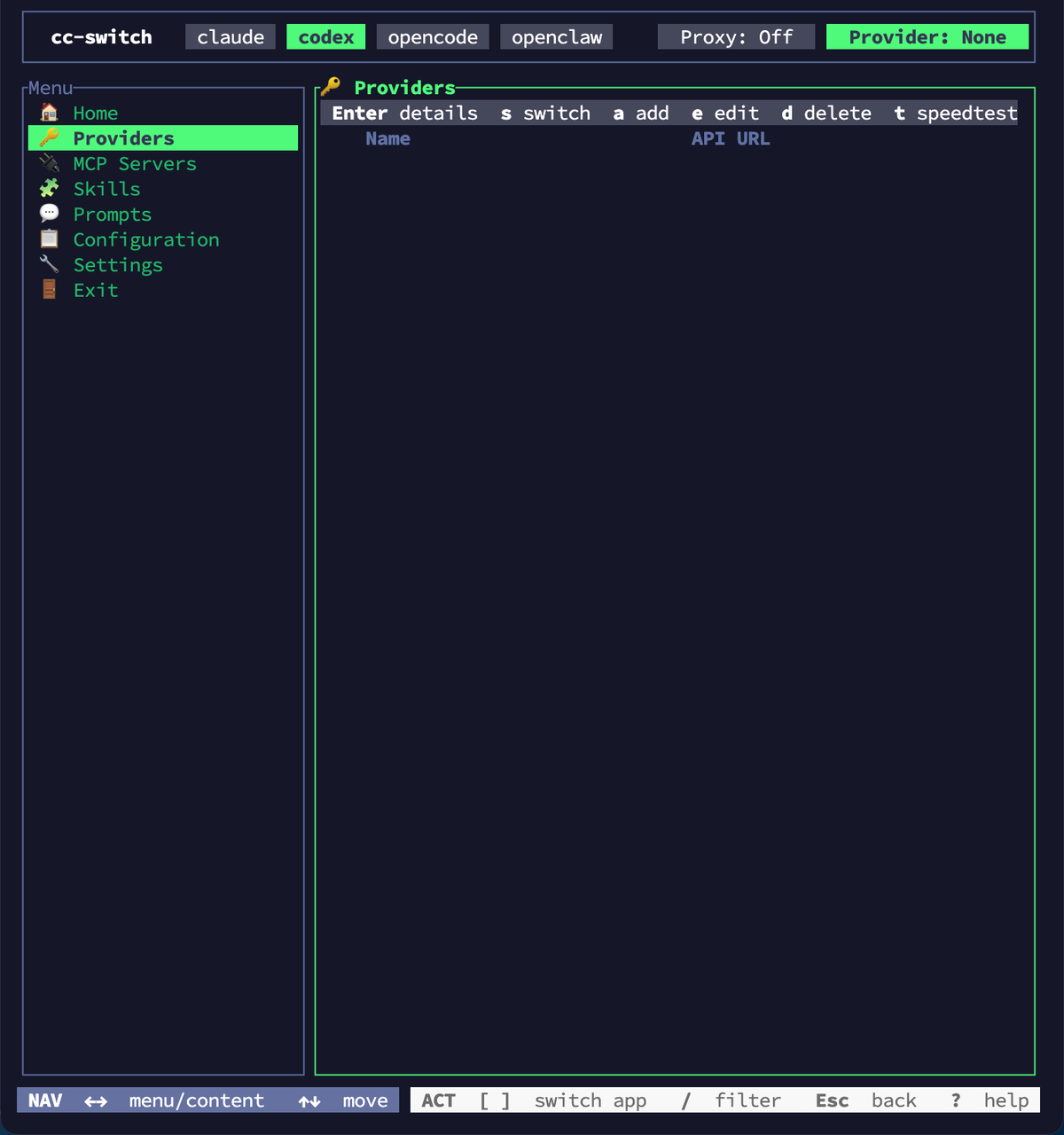
Use the following values:
| Field | Value |
|---|---|
| ID | sigmaauto-maas |
| Name | sigmaauto maas |
| API URL | https://api.sigmaauto.ai/api/v1 |
After saving, switch to this provider so the top bar shows Provider: sigmaauto maas.
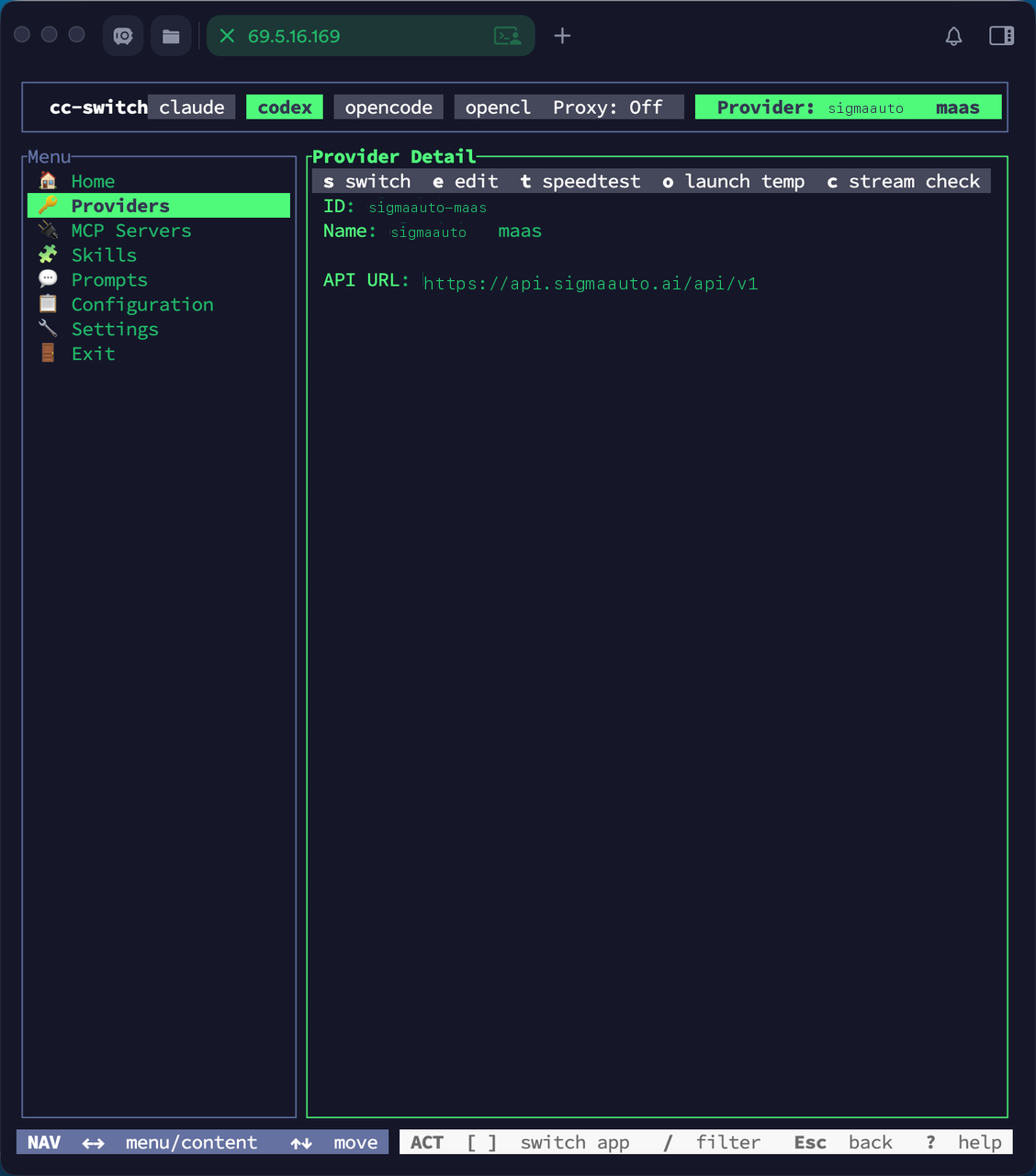
Important: Use the exact API base URL ending with /api/v1. If the base URL is wrong, Codex CLI calls will fail or target the wrong endpoint.
Verify in Codex CLI
Run a simple prompt to confirm Codex CLI is using the configured provider.
codex "hello"You should see a normal response and model metadata in the session header.
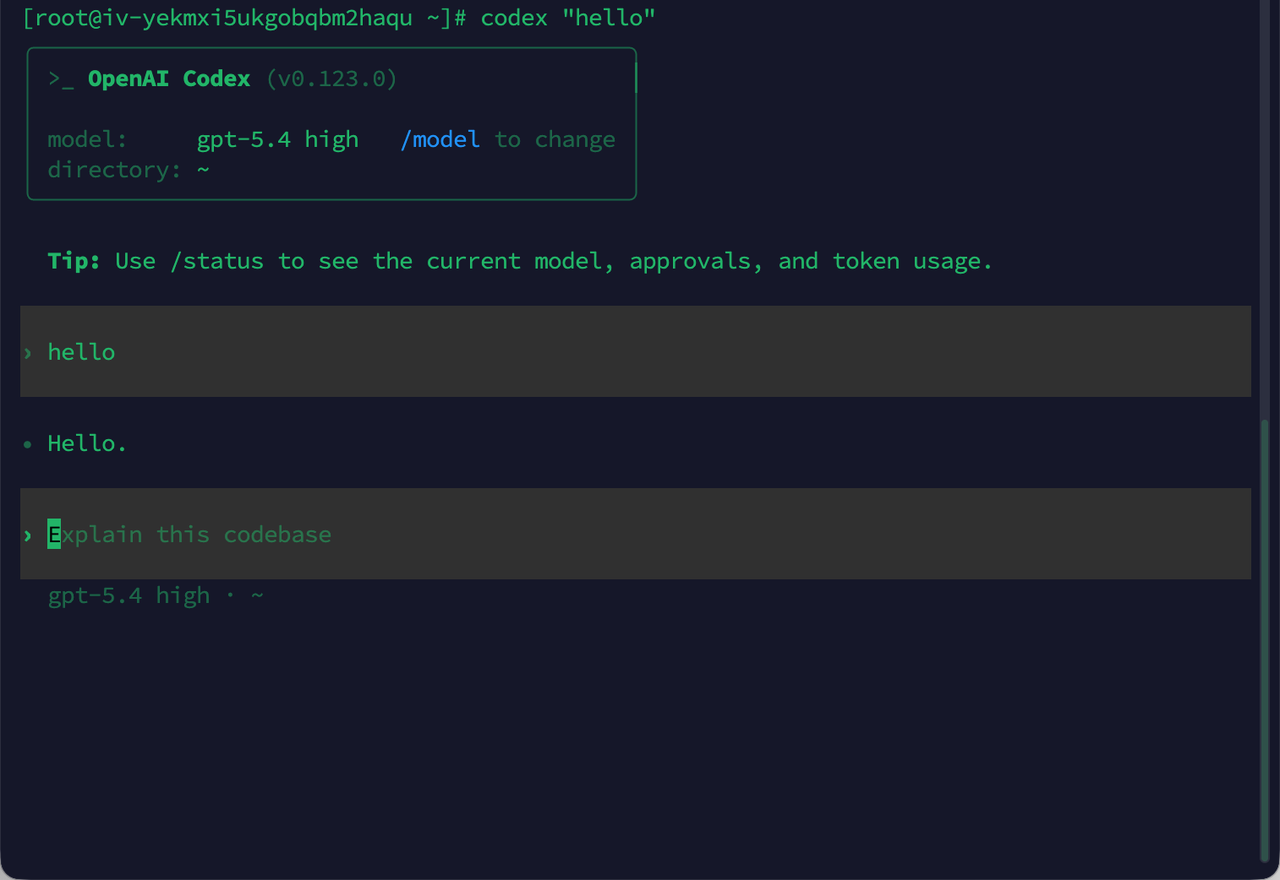
Try another prompt such as Explain this codebase to validate ongoing interaction quality.
Configuration Reference
| Scope | Value |
|---|---|
| Provider ID | sigmaauto-maas |
| Provider API URL | https://api.sigmaauto.ai/api/v1 |
| Codex Validation Command | codex "hello" |
| Docs | Sigma API Reference |
Summary
You now have a complete English configuration flow for Codex CLI with Sigma MaaS:
- Create a provider in cc-switch
- Set API URL to
https://api.sigmaauto.ai/api/v1 - Switch to that provider
- Run
codex "hello"to verify end-to-end connectivity
For region-specific deployment, use the matching API domain. The US guide uses api-us.sigmaauto.ai. Keep all screenshots and labels in English for consistency.